
Get an API key
You need a version of AdaPenyu for Mac with organization API key controls and an AdaPenyu API environment that supports integration. Ask your administrator to confirm the HTTPS API address for your organization.
- Sign in to your live organization in AdaPenyu for Mac as the organization owner.
- Open Settings in the Mac app’s sidebar, then choose Developer Options → Organization API Key.
- If you see No API key configured, choose Generate API Key. If you already have the active key saved, use it to connect your tool.
- In Save your new API key, choose Copy or Reveal. Store the full key securely before selecting I've saved it.
Save the key before leaving Settings. The full key is available only when issued. Rangers should ask the organization owner to manage the key. Key management requires a live account and is unavailable in demo mode.
Connect and verify
Save the key as ADAPENYU_API_KEY in the secret settings for your integration server or job. Keep it out of source control, browser bundles, mobile apps, and logs.
With ADAPENYU_API_KEY available in your shell, set BASE_URL to the HTTPS origin for your organization’s API. Replace the example origin below. Send a single X-API-Key header with every integration request.
BASE_URL="https://api.example.com"

curl --fail \
  --header "X-API-Key: $ADAPENYU_API_KEY" \
  "$BASE_URL/api/integration/v1/individuals?limit=50&offset=0"
A 200 OK confirms access. An empty items list is valid for an organization with no turtle profiles. The Mac app and the regular /api/v1 and /api/v2 endpoints use account sign-in and bearer tokens.
Read turtle and sighting data
Send GET requests to the paths below using the /api/integration/v1 prefix. Your key determines which organization’s records you can access.
Pagination and filters
Start with offset=0 and increase it by the page size to fetch the next page. The default limit is 50, the allowed range is 1–200, and offset must be zero or greater. Order is stable for a given dataset. Changes to records during pagination can shift results between pages.
- Turtle profiles. Use
qto search, repeatspeciesto select multiple species, or filter bycondition. The default sort isname. Usesort=last_seen_descto see the most recently sighted turtles first. - Organization-wide sightings. Filter by observation time with
sinceanduntil. By default, results include only identified turtles and can include sightings without coordinates. Setidentified_only=falseto include unidentified sightings, orhas_coordinates=trueto require coordinates.
curl --fail \
  --header "X-API-Key: $ADAPENYU_API_KEY" \
  "$BASE_URL/api/integration/v1/logs?identified_only=false&limit=50&offset=0"
API response structure
List and detail requests return JSON. Resource IDs are UUID strings, timestamps are UTC, and missing values use null where the field permits it. Each endpoint reference shows the response fields and a fictional example.
List response
The three list endpoints return items, total, limit, and offset. The /individuals list contains turtle profiles. The organization-wide /logs list and a turtle’s history contain sightings. The total counts all results matching the request before pagination.
Turtle profile
The detail endpoint returns the profile directly. The profile has identity photos by side and a summary of the turtle’s sightings. For full history, request /individuals/{individual_id}/logs. The summary’s latest sighting is a preview. Its latest measurements and latest recorded condition each reference the sighting that supplied those values.
Sighting
The detail endpoint returns one sighting directly. An unidentified sighting can have turtle_id: null. When coordinates are available, location.coordinates contains latitude and longitude. Event fields depend on event.type. For example, a nesting event carries egg_count. Profiles and sightings use the v2 response shapes. Integration sightings omit saved matching snapshots.
When assessed, condition contains status, notes, and a markings array. Each marking has id, region, kind, severity, notes, is_permanent, created_at, and updated_at. A sighting photo’s marking_id can identify the marking it documents.
Download photos
Set PHOTO_PATH to the relative url returned in a photo object. Request it from the same API origin with the key in the header. Keep the key out of the URL. The API sets download_url and expires_at to null.
curl --fail \
  --header "X-API-Key: $ADAPENYU_API_KEY" \
  --output turtle-photo \
  "$BASE_URL$PHOTO_PATH"
The response body contains the image bytes. The Content-Type header is image/jpeg, image/png, or image/webp, depending on the stored image.
Manage access
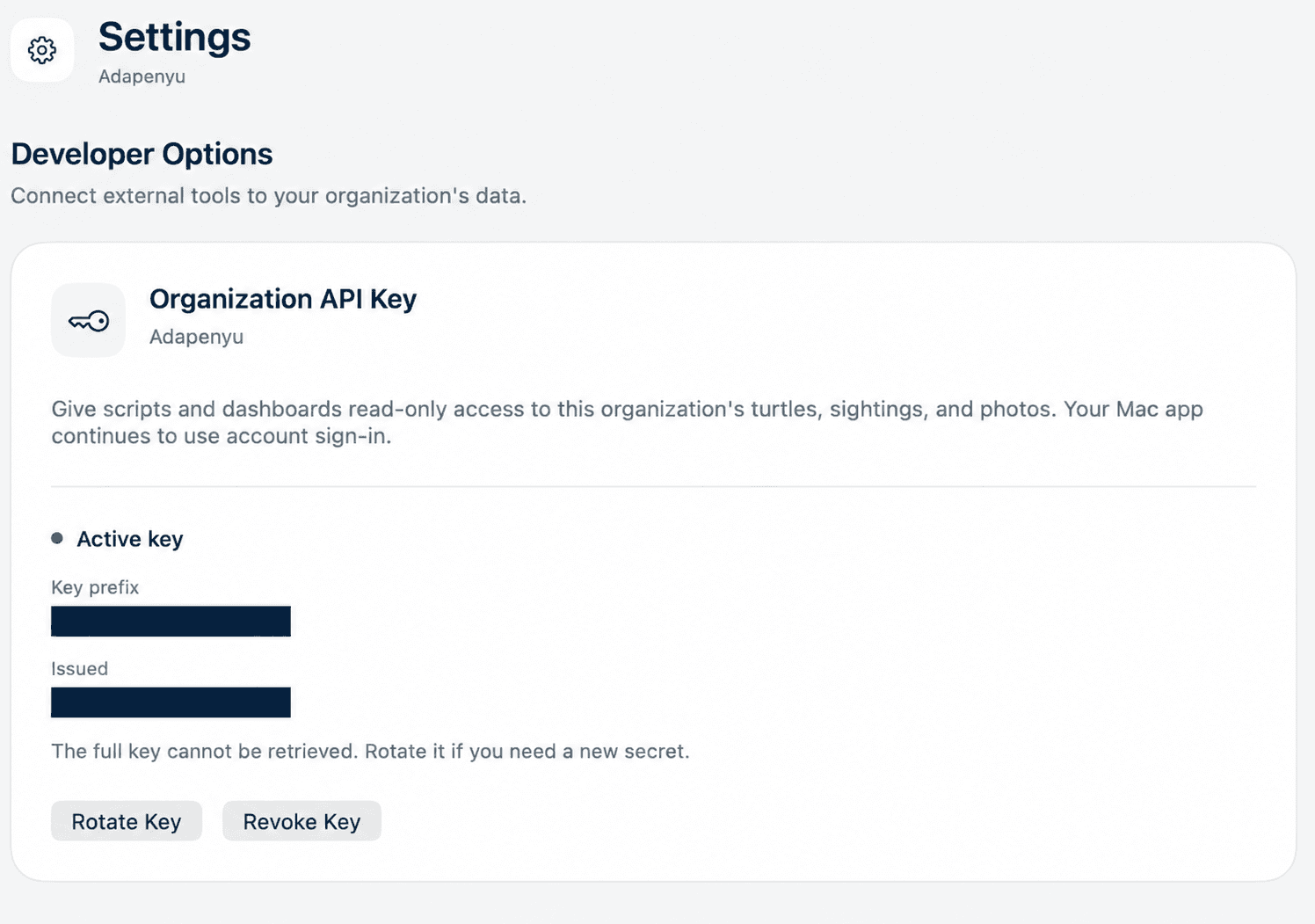
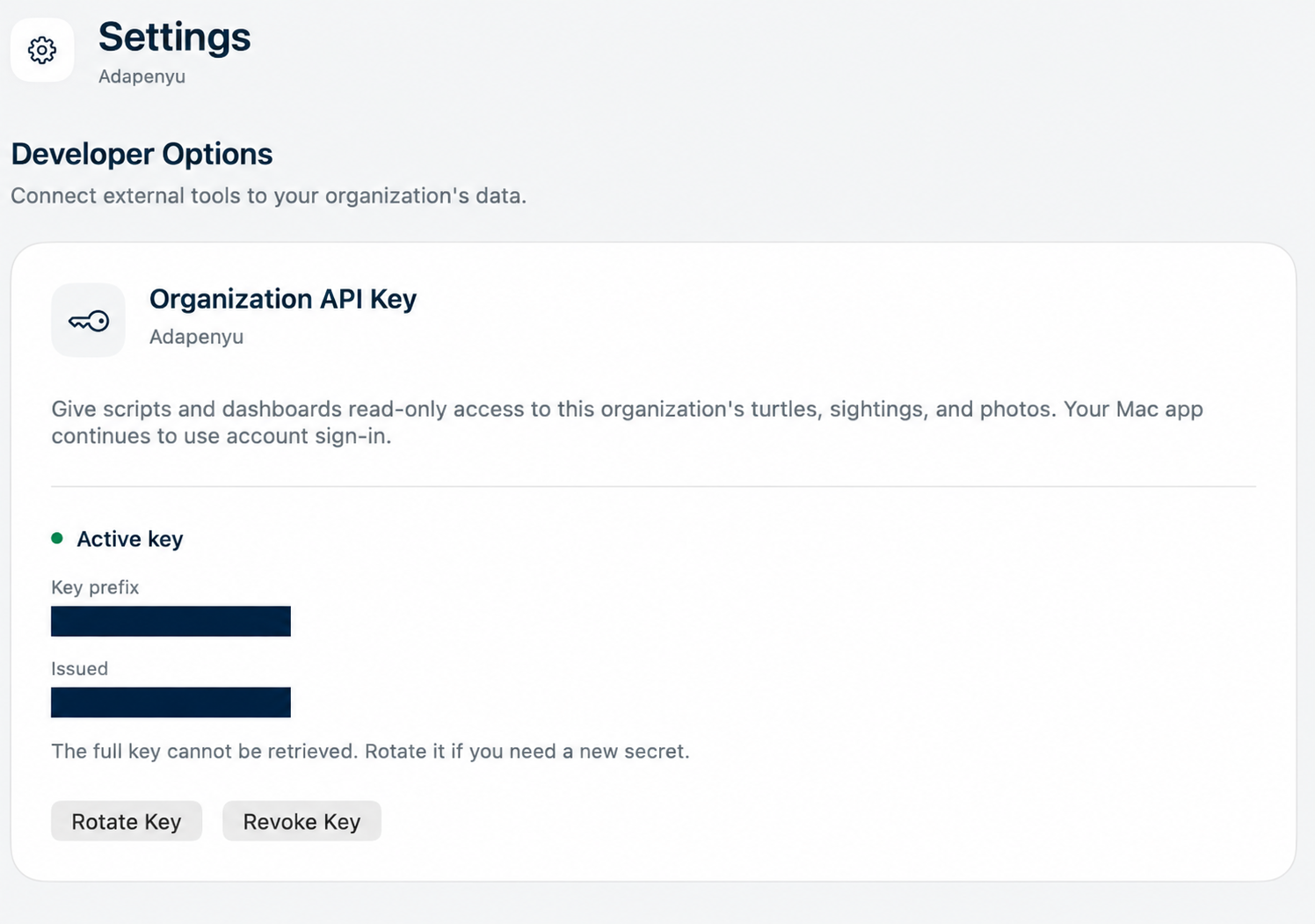
Your organization has one active key at a time. An active key stays valid until you rotate it, revoke it, or delete the organization. Signing out or changing your account password leaves it active.
When Settings shows Active key, it displays the Key prefix, when the key was Issued, and the Rotate Key and Revoke Key controls.
- Choose Rotate Key to replace a lost key or change the key in use. Confirm the rotation, save the replacement, then update and verify every integration. The previous key stops authenticating requests as soon as rotation succeeds.
- Choose Revoke Key and confirm to stop access immediately. To reconnect, generate a new key and update each integration.
- If a change times out or its result is unclear, choose Reload key status before trying again. The change may have succeeded. If a new key was issued and you missed the one-time display, rotate to get another.
Key management responses
Managing a key through the API requires an organization owner’s bearer access token.
GET /api/v1/organization/api-keyreturns200withconfigured,prefix, andissued_at. With no active key, the values arefalse,null, andnull.POST /api/v1/organization/api-key/rotatereturns200with those fields plus the fullapi_keyshown once.DELETE /api/v1/organization/api-keyreturns204 No Content, including when there is no active key.
Troubleshooting
If the Mac app says organization API keys are unavailable, or the initial turtle list request returns 404, check the API origin and integration availability with your administrator.
- 401 · Key rejected. The response is
{"detail":"Invalid or missing API key"}withWWW-Authenticate: APIKey. Use oneX-API-Keyheader with the full current key. If the owner rotated the key, update the secret and retry. - 404 · Resource unavailable. Check the URL and confirm that the record or photo still exists in your organization.
- 405 · Method not allowed. Send a
GETrequest to read integration data. - 422 · Invalid request. Check the UUID, photo side, filter values, or pagination parameters in the response detail.
- 429 · Rate limit reached. Wait for the number of seconds in
Retry-Afterbefore trying again. The default response specifies 60 seconds. - 503 · Photo storage unavailable. Try the photo download again later.
The default quota is 60 authenticated requests per organization per fixed minute. All integrations share it, including photo downloads and resource lookups that return 404. The quota continues across key rotation.